Article: How to Catalogue and Track Your Diecast Collection: Spreadsheets, Apps and Systems That Work
How to Catalogue and Track Your Diecast Collection: Spreadsheets, Apps and Systems That Work
A diecast collection can grow surprisingly quickly. A few favourite aircraft or vehicles become a cabinet full of models, then boxes are placed into storage, certificates are separated from their models and it becomes difficult to remember exactly which releases you already own.
A good catalogue solves more than one problem. It can help prevent duplicate purchases, record what each model cost, show where an item is stored, preserve details about condition and completeness, and provide a useful record if part of the collection is ever sold, damaged, lost or insured.
The best system is not necessarily the most advanced one. It is the system that takes little enough effort that you will continue updating it. For many collectors, that means a carefully structured spreadsheet. Others may prefer a dedicated collecting app or a more visual database. This guide compares the main options and explains how to create a system that remains useful as your collection grows.
Quick Answer: What Is the Best Way to Catalogue a Diecast Collection?
For most diecast collectors, a spreadsheet in Microsoft Excel or Google Sheets is the best starting point. It is flexible, searchable, easy to back up and does not restrict you to the information already held in somebody else’s database.
A collection app can be more convenient on a phone and may provide photographs, barcode scanning or estimated values. However, catalogue coverage can be inconsistent for older, limited-edition or specialist releases. A flexible database app sits between the two: it offers a more attractive, app-like interface while still allowing you to create your own fields.
| System | Best suited to | Main strength | Main limitation |
|---|---|---|---|
| Excel or Google Sheets | Most collectors | Complete control over fields, sorting and calculations | Requires some initial setup and manual data entry |
| Dedicated collection app | Collectors who want quick phone access | Visual browsing and convenient entry | Specialist diecast coverage and export options vary |
| Custom database app | Large or highly detailed collections | Custom forms, images, filters and linked information | Takes longer to build and maintain |
| Paper notebook | Small, stable collections | Simple and independent of technology | Difficult to search, reorganise, value or back up |
Collector takeaway: Start with a spreadsheet unless you already know that photographs and mobile entry are more important to you than flexibility.
Why Catalogue a Diecast Model Collection?
Prevent accidental duplicate purchases
Two releases of the same aircraft can look almost identical while carrying different catalogue numbers, serials, squadron markings or presentation features. A searchable list on your phone lets you check the exact model code before buying at a show, auction or online.
Keep the model, box and accessories together
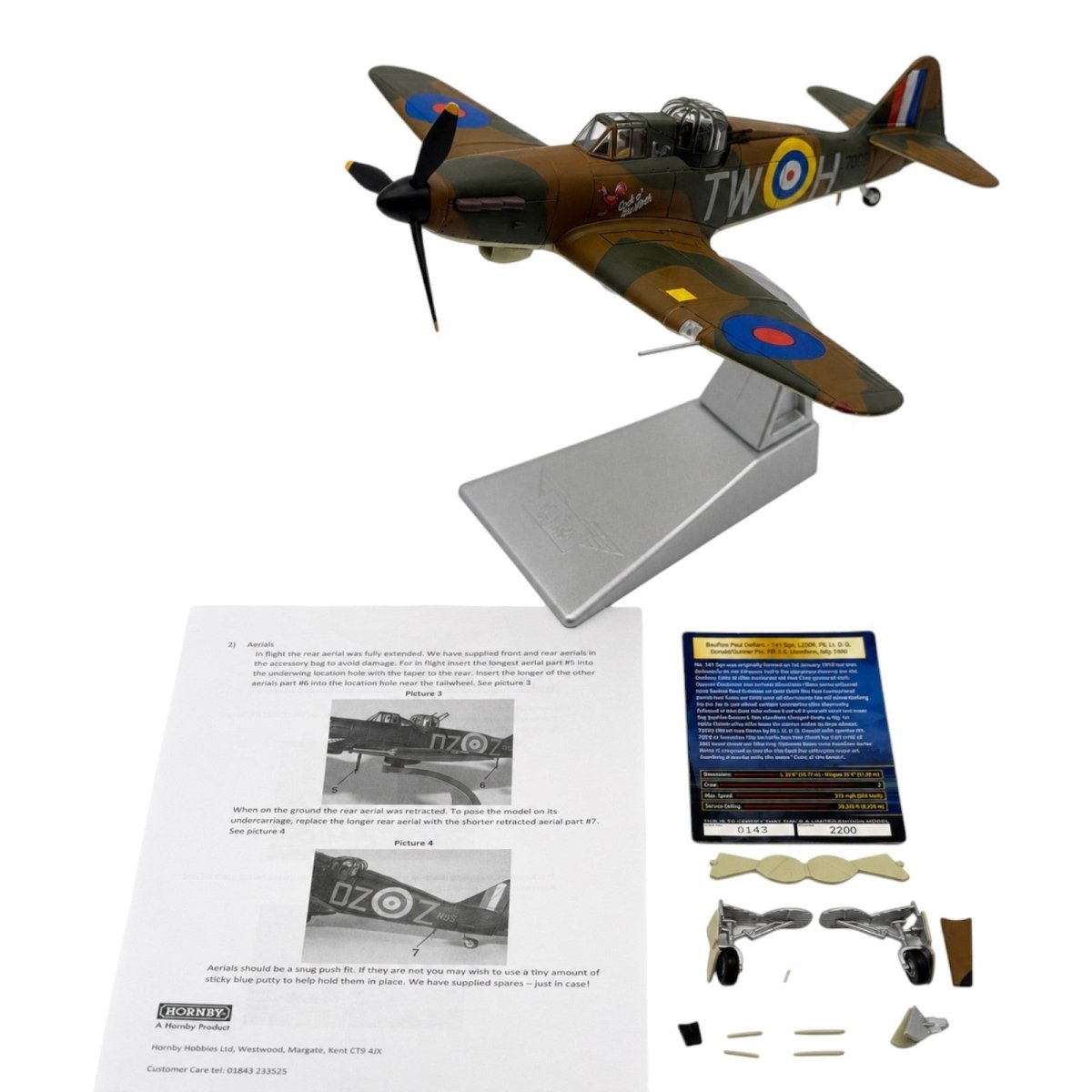
With collectable diecast models, completeness is rarely a simple yes-or-no question. A model may have its stand but be missing its certificate, alternative undercarriage, weapons load, crew figures or instruction sheet. Recording these details makes it easier to reunite loose accessories with the correct model and avoids uncertainty years later.
Record purchase cost and changing value
A catalogue can show how much has been spent across the collection and identify the models that may deserve additional care or insurance consideration. It can also record a dated market-value estimate without confusing an asking price with a confirmed selling price.
Find items held in storage
A location field such as “Cabinet A – Shelf 3” or “Storage Box B04” is much more useful than trying to remember where a particular release was placed. This becomes increasingly valuable when models and boxes are stored separately.
Create a record for insurance, succession or sale
A clear inventory, supported by photographs and purchase records, can help demonstrate what was owned. It also makes the collection far easier for a family member, insurer or future buyer to understand. Requirements differ between insurers, so a personal catalogue should support, rather than replace, any documentation specifically requested by an insurance provider.
The Essential Information to Record
The most useful catalogue separates permanent identification details from information that can change, such as value, location and status. One row or record should represent one physical model, even if you own two examples of the same release.
| Field | What to record | Why it matters |
|---|---|---|
| Collection ID | A unique reference such as DC-0001 | Connects the record, photographs and storage label |
| Brand and model code | For example, Corgi AAxxxx or Hobby Master HAxxxx | Usually the quickest way to identify an exact release |
| Scale and subject | Scale, aircraft or vehicle type and variant | Allows useful filtering across the collection |
| Markings | Operator, unit, serial, code, pilot, location and year where known | Distinguishes similar releases and preserves historical context |
| Edition details | Limited-edition size and certificate number, if applicable | Records details that may be lost if certificate and model are separated |
| Model condition | A consistent grade plus specific faults | Affects desirability and value independently of the box |
| Box condition | A separate grade and notes on wear, crushing or fading | Prevents a good box from masking model faults, or vice versa |
| Completeness | Stand, certificate, instructions and removable accessories | Missing small parts can materially affect collectability |
| Purchase details | Date, source, price paid, postage and buyer’s premium if useful | Creates an accurate cost record |
| Current value | Estimate, valuation date and evidence source | Shows when and how the figure was reached |
| Location | Cabinet, shelf, room or numbered storage box | Makes physical retrieval straightforward |
| Status | Owned, incoming, wanted, for sale, sold, repair or spares | Lets one catalogue manage the full collecting cycle |
| Photographs | Link to overall, underside, fault, box and certificate images | Provides a visual condition record |
Collector takeaway: If time is limited, begin with collection ID, brand, model code, scale, subject, model condition, box condition, completeness and location. Purchase and valuation information can be added later.
Option 1: Build a Diecast Collection Spreadsheet
A spreadsheet offers the best balance of control, longevity and portability. It can be kept simple or expanded with filters, formulas, drop-down lists and summary tables as the collection grows.
Use one item per row
If you own two examples of the same release, give each one its own row and collection ID. Their condition, purchase price, certificate number and storage location may all be different.
Use controlled terms rather than free typing
Drop-down lists keep entries consistent. “1:72”, “1/72” and “72nd scale” may mean the same thing to a person, but a spreadsheet treats them as different values. The same principle applies to brands, condition grades and status labels.
Separate facts from notes
Keep sortable facts, such as scale, brand and price, in their own columns. Use a separate notes field for unusual details. This allows you to filter every 1:72 Corgi model without relying on a search through long descriptions.
Add useful calculations
Simple formulas can total purchase cost, estimated value or the number of models from each brand. More advanced collectors can create a dashboard showing the collection by scale, aircraft type, operator or storage location.
Keep a separate wish-list sheet
A wish list works best when it records the exact model code, a target price and priority. A “maximum price” field can be particularly helpful during auctions, when it is easy to make a rushed decision.
Collector takeaway: A plain spreadsheet that is updated after every purchase is more valuable than a complex dashboard that is abandoned after a month.
Option 2: Use a Dedicated Collection App
Dedicated apps can make a collection enjoyable to browse and convenient to check while away from home. Some offer barcode scanning, built-in catalogue records, photographs, wish lists or value estimates.
hobbyDB
hobbyDB supports collection records containing purchase information, private notes, quantities and estimated values. Its main attraction is the connection between a catalogue entry and a wider collectables database. This can save time when the correct release already exists, although estimated values should still be checked against the condition and completeness of your own example.
Explore hobbyDB’s collection management features.
What to check before committing to any app
- Does it cover your brands and older catalogue numbers?
- Can you create your own fields for model and box condition?
- Can you export the complete collection in a common format such as CSV?
- Are photographs included in a usable backup, or only stored inside the service?
- Can the catalogue be accessed on every device you use?
- Which features require a paid plan?
Collector takeaway: Test an app with 10 varied models before entering the whole collection. Include an older release, an incomplete model and one with separate box faults to expose limitations early.
Option 3: Create a Custom Collection Database
Custom database tools are useful when a spreadsheet feels too plain but a dedicated collecting app is too restrictive. They can combine structured fields with photographs, forms and different visual views.
You do not need a custom database to keep a thorough catalogue. Consider this route only if you have specific requirements that your spreadsheet or hobbyDB setup cannot accommodate. Before moving your records, check how the chosen system handles custom fields, photographs and complete exports.
Collector takeaway: A custom database is most worthwhile when you genuinely need image-led browsing, linked records or mobile forms. Otherwise, a spreadsheet is usually quicker to maintain.
A Simple System That Works in Practice
1. Assign a unique collection ID
Use a short sequence such as DC-0001, DC-0002 and DC-0003. The number should identify the physical example rather than the model release. Do not reuse an ID after an item is sold.
2. Label storage locations consistently
Give cabinets, shelves and storage boxes fixed names. “Box B04” remains useful after a room is reorganised; “large box beside the wardrobe” does not.
3. Photograph the model and identifying details
For boxed models, useful photographs include the model, underside, box ends, certificate and any existing damage. Name image files with the collection ID, for example, “DC-0001-model”, “DC-0001-box” and “DC-0001-certificate”. This keeps them connected even if they are moved to a different folder.
4. Record condition before display or storage
Inspect the model under good lighting and record faults precisely. “Small paint mark on the upper port wing” is more useful than “good condition”. Keep model condition, box condition and completeness separate.
5. Add the purchase record
Record the date, seller or source, price paid and any significant extra costs. Save the receipt or invoice where appropriate and link it to the catalogue entry.
6. Update status immediately
When a model is purchased, moved, sold or found to be incomplete, update the record at the same time. A catalogue becomes unreliable when changes are left to memory.
How to Track the Value of a Diecast Collection
Valuation is the area most likely to create false confidence. A model listed online for £150 has not necessarily sold for £150, and two examples of the same release may have very different values because of condition, completeness or box quality.
A useful valuation record should contain four parts:
- the estimated value;
- the date of the estimate;
- the evidence source, ideally recent completed sales or credible dealer evidence; and
- a short condition adjustment explaining why your example may be worth more or less.
Automatic price guides can be a useful starting point, but they may combine sales from different regions, editions or conditions. For rare models with few recent sales, a sensible range may be more honest than a single precise figure.
Reviewing every value each month is rarely necessary. A practical approach is to review higher-value models annually, then update other records when a comparable item sells or when you are considering a sale. Insurance valuations and realistic resale values may also serve different purposes, so they should not be treated as interchangeable without checking the insurer’s requirements.
Collector takeaway: Always store the valuation date and source beside the figure. An unexplained value quickly becomes meaningless.
Backups: Do Not Let the Catalogue Become a Single Point of Failure
Whatever system you choose, keep a second copy outside the main app or device. Spreadsheet users can retain an offline copy in addition to a cloud version. App and database users should confirm that the full data can be exported and should test that export before entering hundreds of records.
Photographs need their own backup plan. A CSV export may preserve text fields without including the original image files, so check exactly what is downloaded. A quarterly export is a manageable routine for an active collection, with an additional backup after a major purchase or reorganisation.
Common Cataloguing Mistakes
- Trying to record everything on the first day: begin with identification and location, then add deeper detail gradually.
- Using one general condition field: grade the model and box separately and record completeness on its own.
- Relying only on photographs: images are valuable, but they cannot be filtered like catalogue numbers, scales and status fields.
- Recording asking prices as values: use evidence from actual sales where possible and note the date.
- Trusting a platform without testing exports: make sure you can retrieve your records in a useful format.
- Creating a system that takes too long to update: remove fields that do not help you make a decision or find an item.
Which System Should You Choose?
Choose a spreadsheet if you want maximum control, easy calculations and a format that can move between services. Choose a dedicated collection app if quick mobile access and visual browsing matter most. Choose a custom database if you have a large collection and want structured forms, photographs and linked records.
You can also use a hybrid system. A spreadsheet can remain the master record while a simpler app acts as a mobile reference or public showcase. If you do this, decide which system is authoritative so that conflicting information does not develop.
The right catalogue should answer five questions quickly: What do I own? Is it complete? What condition is it in? Where is it stored? What did it cost? If your system can answer those questions and is easy enough to keep updated, it is doing its job.
Continue Building Your Collection
A clear catalogue makes it easier to identify genuine gaps instead of buying near-duplicates. Explore our latest collectable diecast aircraft and military models, with detailed descriptions and separate model and box condition assessments.
Sources and Further Reading
App features, plan limits and pricing can change. Check the provider’s current information before committing a large collection to any platform.

Written by Jay Sawyer